
BLOG
3D Environment Modeling: Everything You Need to Know
3D environment modeling is the technical process of engineering digital, three-dimensional spaces for visual media. Utilizing specialized 3D animation software such as Blender, Maya, and Unreal Engine, artists construct complex virtual worlds used across video games, film, architecture, and advertising.
3D Environment Model at a Glance: It’s a digital "stage" or world built inside a computer. Unlike a single character model, an environment model encompasses everything from the ground (terrain) and sky to the buildings and small details like pebbles or grass. |
Core Components and Process of Creating Scenes in 3D
Featured Video: Advanced 3D Modeling by Florence Yulius
The architectural design of a 3D environment requires adherence to the production pipeline. This ensures that every spatial component, from vast terrain to intricate props, functions as a stable unit within a digital ecosystem.
1. Modeling
By establishing a clean "topology" (the flow of the digital mesh), modelers ensure the base geometry is ready for the next steps without technical glitches. In the initial phase of environment modeling, artists construct the geometric foundation, which involves:
- Hard Surface Modeling: Used for man-made structures like buildings, vehicles, and props.
- Organic Sculpting: Used for natural elements like rocky cliffs or weathered ruins.
2. Texturing and Materials
Once the geometry is finalized, the 3D environment modeling process shifts toward defining surface aesthetics. During this phase, artists utilize a physically based rendering (PBR) workflow.
This involves applying digital maps to simulate how light interacts with different materials:
- Albedo: The base color of the surface.
- Roughness: How shiny or matte a material appears.
- Metallic: How much a surface reflects like metal.
This stage is also vital for distinguishing between organic surfaces, such as mossy stone, and man-made materials, such as brushed steel, thereby enhancing the tactile realism and physical believability of the world.
3. Lighting
Lighting is a crucial tool in 3D environmental design, helping establish mood and narrative focus. By placing virtual light sources, artists calculate shadows and global illumination to create a sense of depth and volume.
Aside from guiding the viewer’s eye through the space, proper lighting also reinforces the atmospheric quality of the virtual environment.
4. Rendering
Rendering is the computationally intensive stage where the software calculates all spatial data to produce a final image or animation. During this part of the 3D environment modeling workflow, all details regarding light bounce, texture resolution, and shadow softness are finalized.
This results in a high-fidelity visual output that is ready for film post-production or architectural visualization.
5. Integration
The final step in 3D environment modeling involves populating the scene with secondary props and integrating the assets into a cohesive whole. In environmental design for games, this often involves importing models into engines such as Unreal Engine to add interactivity and dynamic effects.
Key Software & Tools for 3D Environment Modeling
To achieve industry-standard results in 3D environment modeling, artists must master a specialized toolkit. These applications are designed to handle the massive technical demands of digital world-building, ranging from complex architectural geometry to real-time atmospheric simulations.
1. Modeling and Animation Suites
The foundation of most 3D environment projects is built within versatile suites such as Autodesk Maya, 3ds Max, Blender, and Cinema 4D.
Software | Role in Environment Modeling |
Autodesk Maya & 3ds Max |
|
Blender |
|
Cinema 4D |
|
2. Sculpting Tools
When a project requires organic details such as rocky cliffs or weathered ruins, artists turn to digital sculpting software like ZBrush and Mudbox.
Software | Best Used For |
ZBrush |
|
Mudbox |
|
3. Texturing Software
Defining the surface properties of a 3D environment modeling project usually involves Adobe Substance 3D Painter and Photoshop. Together, these tools ensure that every object within a virtual space possesses realistic material qualities and weathered imperfections:
Software | Technical Application |
Substance Painter |
|
Photoshop |
|
4. Environment Generation Tools
For vast landscapes and complex biological ecosystems, specialized generation tools are indispensable.
Software | Specialized Function |
World Machine & Terragen | Utilize procedural algorithms to simulate geological erosion and realistic terrain layouts for 3D environmental design |
SpeedTree | The industry standard for generating high-fidelity vegetation and forests with randomized, wind-reactive foliage |
5. Game Engines
The final integration of assets for interactive media occurs within game engines such as Unreal Engine and Unity. These engines provide the interactive framework in which models, textures, and lighting converge to create a fully playable, immersive digital world:
Software | Industry Focus |
Unreal Engine |
|
Unity |
|
Industrial Applications of 3D Environment Modeling
Featured Video: Advanced 3D Modeling by Chua Cheng Yang
Professional 3D environment modeling is a versatile skill set used across a variety of sectors:
- Video Games: Game environment design is essential for building expansive worlds and interactive levels. Moreover, artists create everything from terrain and architecture to small-scale props.
- Film and Animation: Film production relies on 3D environmental design to create virtual sets and complex visual effects (VFX). Whether it is a background for a live-action blockbuster or an entirely digital world for an animated feature, environment artists build the spaces where stories unfold.
- Advertising: Marketing agencies also utilize 3D environment modeling to develop photorealistic product visualizations and immersive advertisements. By creating a digital studio or lifestyle setting, brands can showcase their products with optimal lighting and camera angles.
Hone Your Skills in 3D Environment Modeling
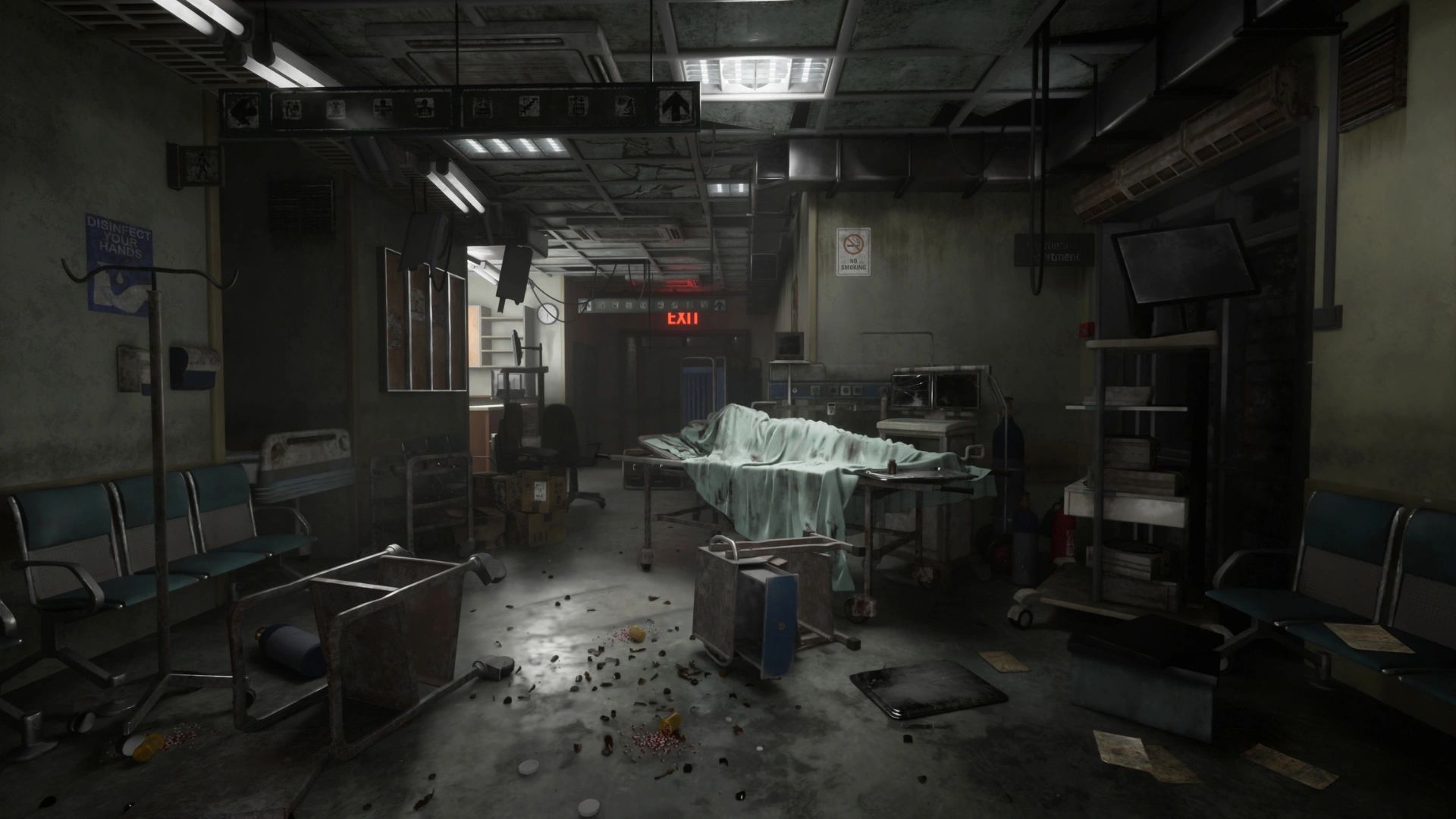
Featured Art: 3D Game Environment by Wilson Toh
Digital world-building requires a structured education from a leading 3D modeling school. At 3dsense Media School, we offer an intensive one-year 3D animation, VFX, and 3D modeling diploma that empowers aspiring artists to bridge the gap between technical theory and industry-ready application. Through hands-on mentorship, you will learn to construct expansive virtual worlds that meet the rigorous demands of global film and gaming studios.
Our curriculum focuses on the essential skills and tools required for professional success:
- Mastering Autodesk Maya and 3ds Max for high-fidelity environment modeling.
- Utilizing ZBrush for intricate digital sculpting and organic detail.
- Creating realistic textures and shaders with Substance Painter and Photoshop.
- Designing atmospheric lighting and cinematic rendering setups.
- Integrating assets into Unreal Engine for interactive spatial narratives.
By the end of the program, you will graduate with a world-class portfolio and the technical expertise to launch your creative career.
To expand your knowledge further, check out our insights on the difference between 3D modeling and animation.
CURIOUS ABOUT OUR PROGRAMS?
Contact us today!
 Chat Now